






How to build a golf simulator in 2026 | Complete setup guide
Space requirements, components, costs and mistakes to avoid.
 Trackman Editorial Team
Building a premium golf simulator requires more than simply buying expensive equipment.
The best setups combine the right space dimensions, launch monitor, software, projector, impact screen, and lighting for a realistic practice and playing environment tailored to how you want to use it.
The devil is in the details. Even something as simple as the wrong cable routing or hitting mat can undermine an otherwise premium simulator setup.
But fret not. This guide draws on the expertise of two of Trackman's most experienced simulator specialists — K.C. Kessler, Head of Sim Project Delivery, and Jason Mattingly, Head of Sim Design.
Between them, they have close to 20 years of experience building simulators for Trackman and they oversee some 1,600 projects and up to 2,800 bays every year. In this guide, they share the key decisions, best practices, and common mistakes that separate a good simulator from a great one.
In this guide
Space requirements for a golf simulator
The core components of a premium golf simulator
Why lighting, cables, mats and screens matter
How much does a golf simulator cost?
Common mistakes to avoid
Get inspired: Real-life golf simulator setups
Frequently Asked Questions
Space requirements for a golf simulator
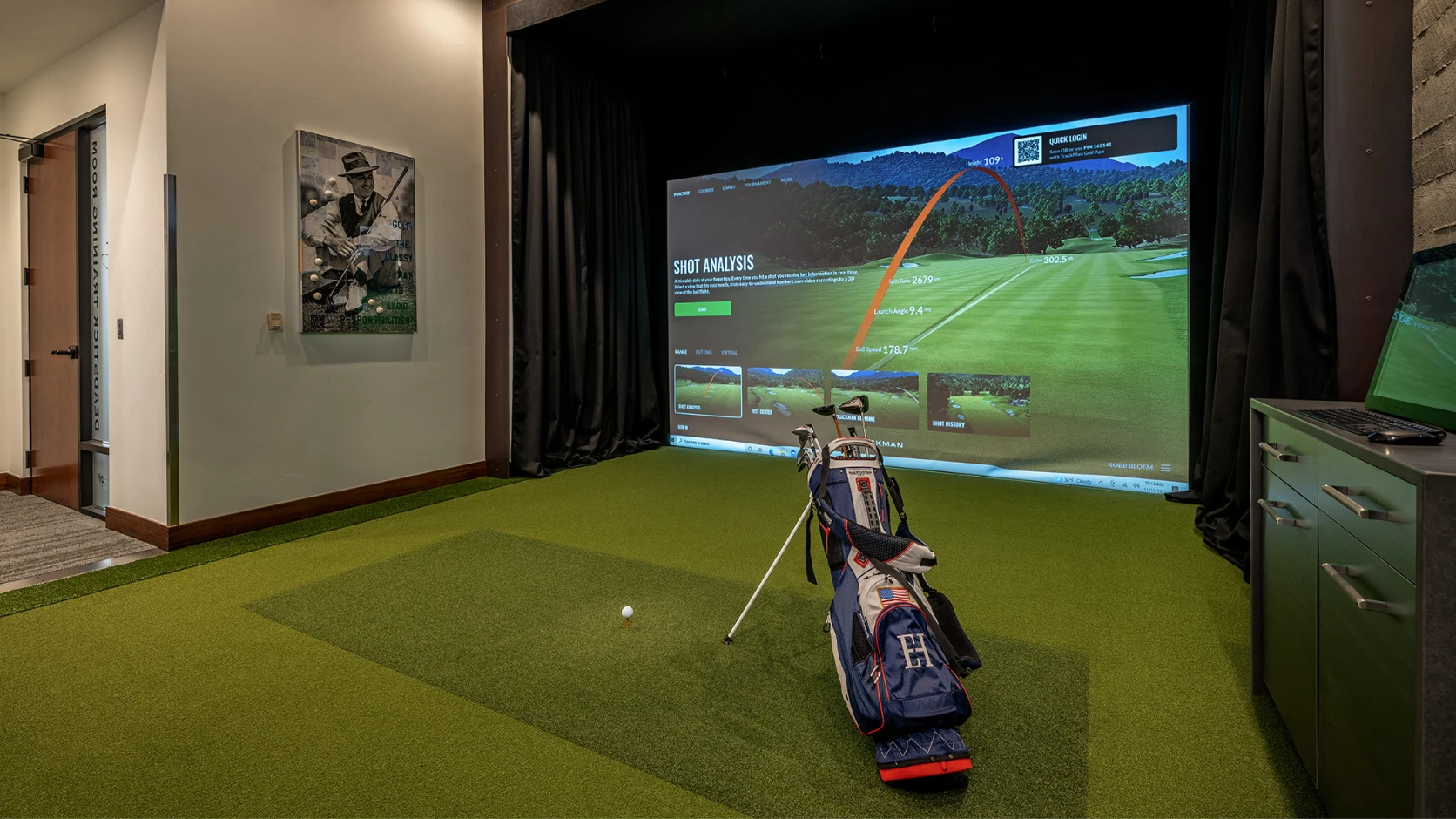
Understanding how much room you need for your golf simulator is one of the most important considerations when designing a simulator space. Getting the room dimensions right is key to creating a simulator environment that feels comfortable, realistic, and unrestricted to swing in.
The launch monitor you use will influence the footprint. Good questions include: Is the simulator for indoor use only? Does it need to be portable? Should it accommodate both right- and left-handed players? All these things impact the ceiling height and room width of an indoor golf space and how natural a simulator experience feels.
Golf simulator ceiling height, room width & depth
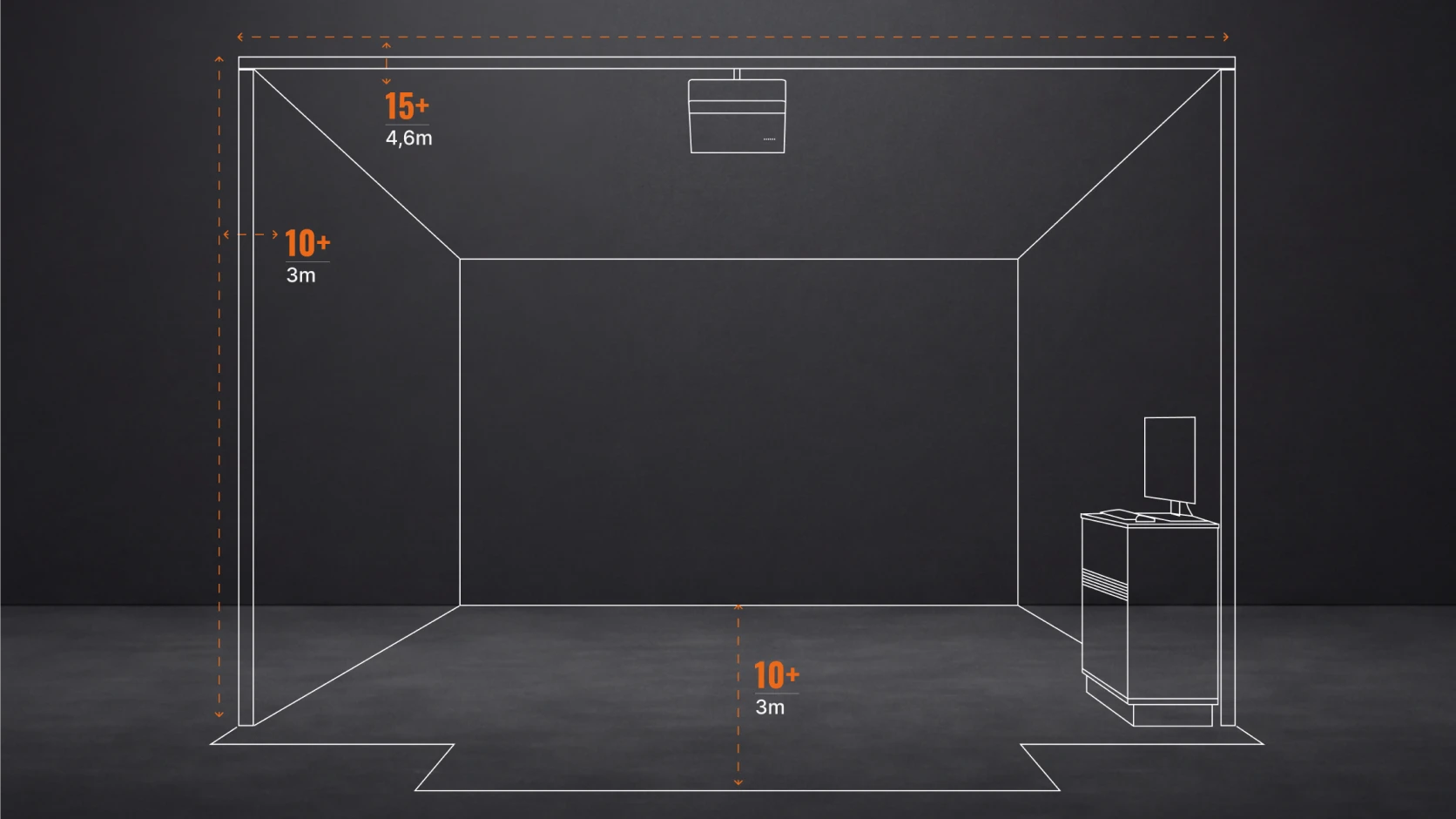
Recommended dimensions for Trackman iO:
The Trackman iO is ceiling-mounted and optimized for the indoor game. A combined radar and camera system tracks the strike and the earliest ball flight from above. Nothing sits behind the golfer. Depth requirements drop significantly, making rooms that may be too tight for traditional radar-based launch monitors viable simulator spaces.
Ceiling height: 3.0 m / 10 ft +
Room width: 4.6 m / 15 ft +
Screen to ball: 3.0 m / 10 ft +
Behind the ball: Enough for a comfortable swing
Recommended dimensions for Trackman 4
Some golfers and coaches require portability and the complete set of Trackman data parameters. As a behind-the-ball radar system, Trackman 4 delivers by tracking the full flight of the golf ball from impact forward. To do that accurately indoors, it needs space both in front of and behind the hitting position.
Ceiling height: 3.0 m / 10 ft +
Room width: 4.6 m / 15 ft +
Screen to unit distance: 5.5 m / 18 ft +
Here’s a more complete golf simulator room size overview, but as a rule of thumb, more space means greater swing freedom, flexibility, safety, and long-term enjoyment.
“The sweet spot is about 15-20 feet in width, 10-13 feet in height, and at least 18 feet in depth. But what will the space be used for? Will it be for socializing? Do you want seating, extra TVs for entertainment, or is it strictly a practice room? Everything needs to be factored in when considering space.”
– K.C. Kessler, Head of Sim Project Delivery
Computer
A powerful computer is critical for running a premium golf simulator smoothly — especially when using high-resolution graphics like Virtual Golf 3, and advanced data visualization.
The right PC setup helps ensure stable performance, faster loading times, realistic visuals, and a more seamless overall simulator experience. Graphics performance becomes particularly important for 4K simulator setups. No one wants to play golf on a lagging system, and compatibility and technical support cannot be guaranteed for non-recommended setups.
Recommended specifications:
Operating system: Windows 11 (64-bit)
Processor: Intel i7 3.4 GHz
Memory: 32 GB RAM
Storage: 1 TB SSD
GPU — 4K setup: Nvidia RTX 4080, 4080 Super, 4090, 5080, 5090
GPU — HD setup: Nvidia RTX 4070 Ti, RTX 4070 Ti Super, RTX 5070 Ti
2x Ethernet ports (1 GBit/s)
1x WiFi connection
Higher-end GPUs recommended for 4K setups are also fully compatible with HD simulator setups. Trackman Performance Center does not support Intel Iris Xe graphics card, or AMD processors - ONLY Intel is supported.
Why lighting, cables, mats, and screens matter
They may seem like small details, but lighting, cabling, ventilation, hitting mats, and impact screens all play a major role in how good a golf simulator setup ultimately works and feels.
Poor lighting can affect tracking performance and visual quality, while incorrect cable routing, low-quality mats, or inadequate ventilation can negatively impact comfort, durability, and the overall simulator experience. Overlook them at your own peril!
Lighting
Lighting has a major impact on both simulator performance and the overall playing experience. Too little light can make the space feel dark and uncomfortable, while overly harsh or poorly positioned lighting can create glare, shadows, and reduced image quality on the impact screen.
Well-balanced lighting helps create a more immersive simulator environment while also supporting accurate tracking, clearer visuals, and a more natural overall feel during practice and play.
"We always recommend dimmers for lights — you want a nice bright kind of center spotlight, and then I always recommend dimmers for the other lights in the room. That lets you keep the environment dark, have the impact screen really pop for you, while still illuminating that spot on the floor for the radar to function well."
– K.C. Kessler, Head of Sim Project Delivery
Cabling
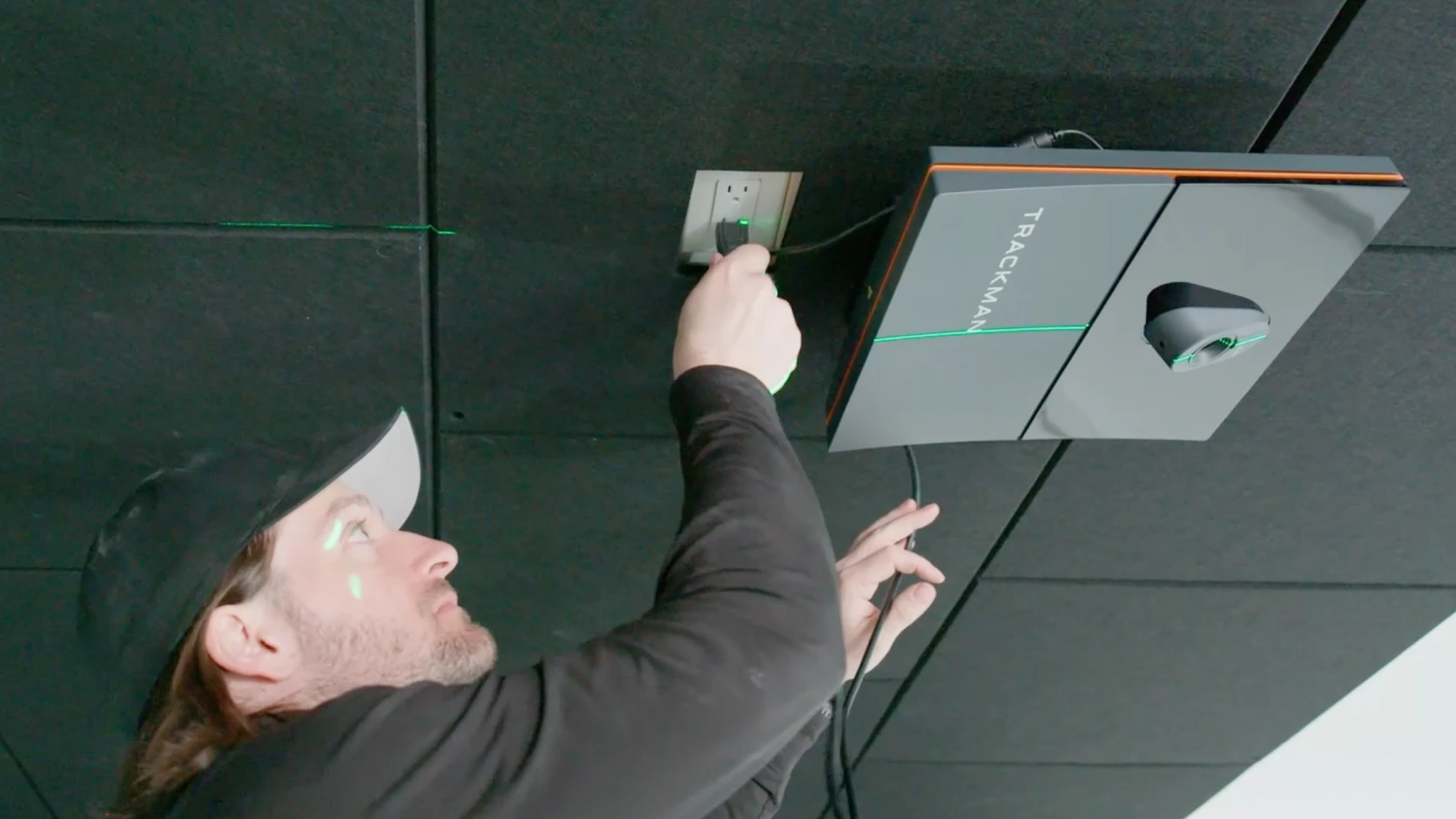
Using alternative cables introduces risk that can result in production delays and difficult-to-diagnose issues. While we understand the desire to use existing infrastructure, cable quality is fundamental to system reliability in this application. Potential issues when using non-approved cables:
Unstable or inconsistent camera performance
Connection dropouts
Image quality issues
Power-related problems
Cameras not being detected correctly by the system
“There’re physical limitations to cable distances. Those signals need to be strong, and over certain distances you can exceed what is approved. And don’t buy inferior cables — use shielded cables to avoid interference from other devices that can affect data.”
– Jason Mattingly, Head of Sim Design
Ventilation
Proper ventilation is key for reliable simulator performance. Projectors and PCs generate heat and need adequate airflow to operate efficiently.
Ensure ventilation openings remain clear, avoid tight or enclosed installations, and never place equipment directly against walls or on soft surfaces that can block airflow. When designing custom cabinets or enclosures, always account for ventilation from the start.
Impact screen and enclosure
The impact screen is one of the hardest-working components in any simulator and requires a careful balance between durability and image quality. A screen that is too tight can increase bounce-back, while a screen that is too loose can affect image quality and overall appearance.
To maximize screen life, always use clean golf balls free from dirt, scuffs, or marker marks. Premium balls such as Titleist Pro V1 RCT or TaylorMade TRK-R are recommended for both performance and longevity. When selecting an enclosure and screen, focus on three key factors: durability, image quality, and proper tension.
Turf and hitting mat
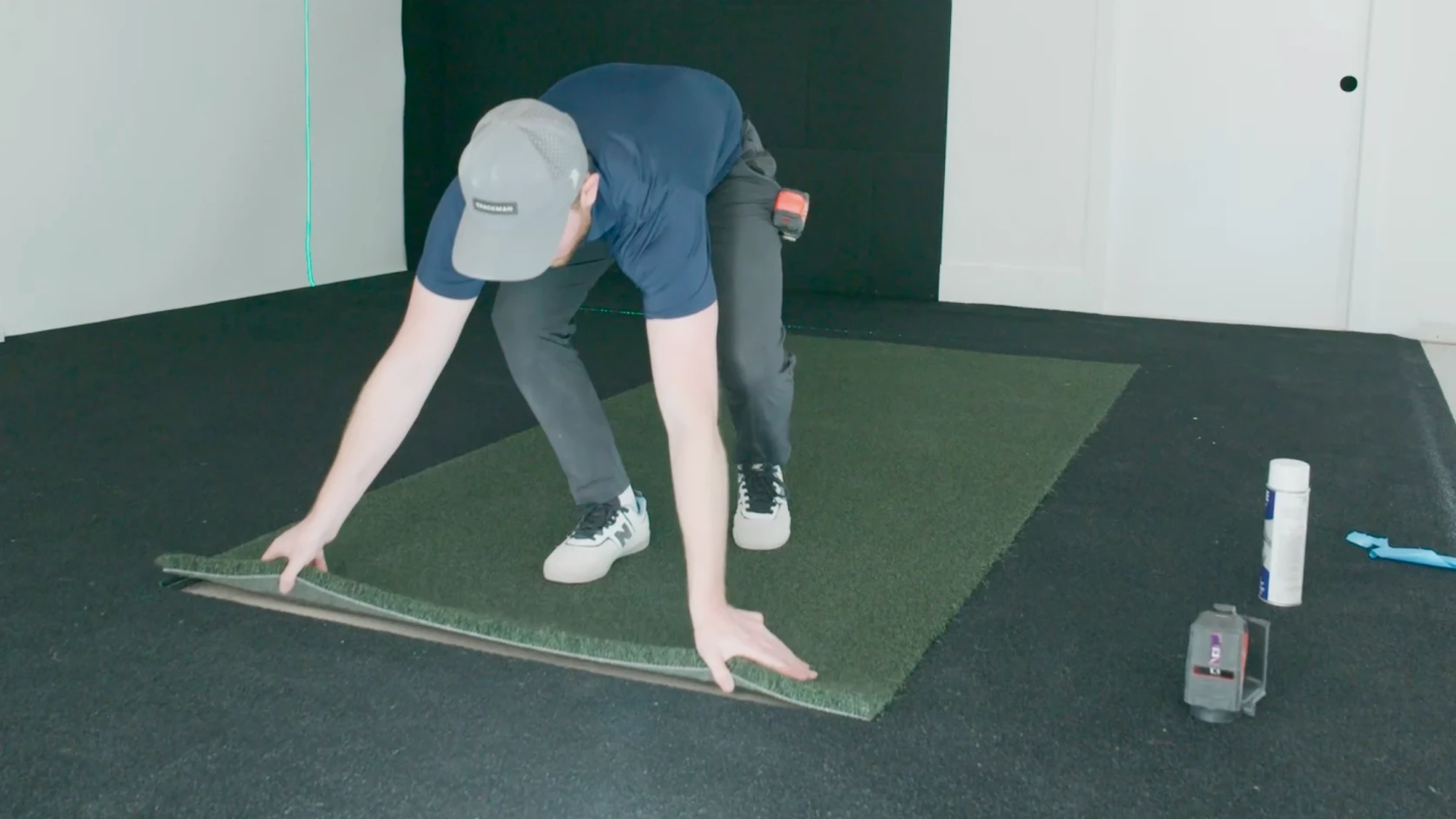
The hitting mat is often overlooked, but it has a significant impact on comfort, performance, and long-term durability. A quality mat should mimic real turf conditions, provide consistent feedback at impact, and help reduce the risk of injury during extended practice sessions.
When it comes to turf, material matters. Premium nylon turf is significantly more durable than lower-cost polypropylene alternatives and better withstands the wear and tear of regular use.
“The hitting mat and impact screen are the two things you'll likely need to replace first — just based on wear and tear — so try to get the best quality that's going to be the most durable. And for turf, always go for nylon. Polypropylene is just not as durable.”
– Jason Mattingly, Head of Sim Design
How much does a golf simulator cost?
Now it’s time to look at budget and pricing. The cost of a premium golf simulator can vary significantly depending on the quality of the technology, the room itself, and how immersive you want the overall experience to feel.
For golfers looking for the most accurate and dependable simulator technology available, Trackman remains the industry standard — trusted by pros, coaches, club fitters, and performance facilities worldwide.
There’s a reason why the PGA Tour and Trackman have been collaborating since 2006. Trackman also works with LIV Golf, DP World Tour and the LPGA. To put it simply, the best in the game want the best in the game.
If your goal is simply to hit balls indoors, there are lower-cost options available. But if your goal is to improve at golf through the most accurate data, realistic ball flight, immersive Virtual Golf, and a premium overall experience, the difference in quality becomes significant.
Trackman offers four primary simulator setup options depending on the space, budget, and experience you want to create.
Custom Integrated Build
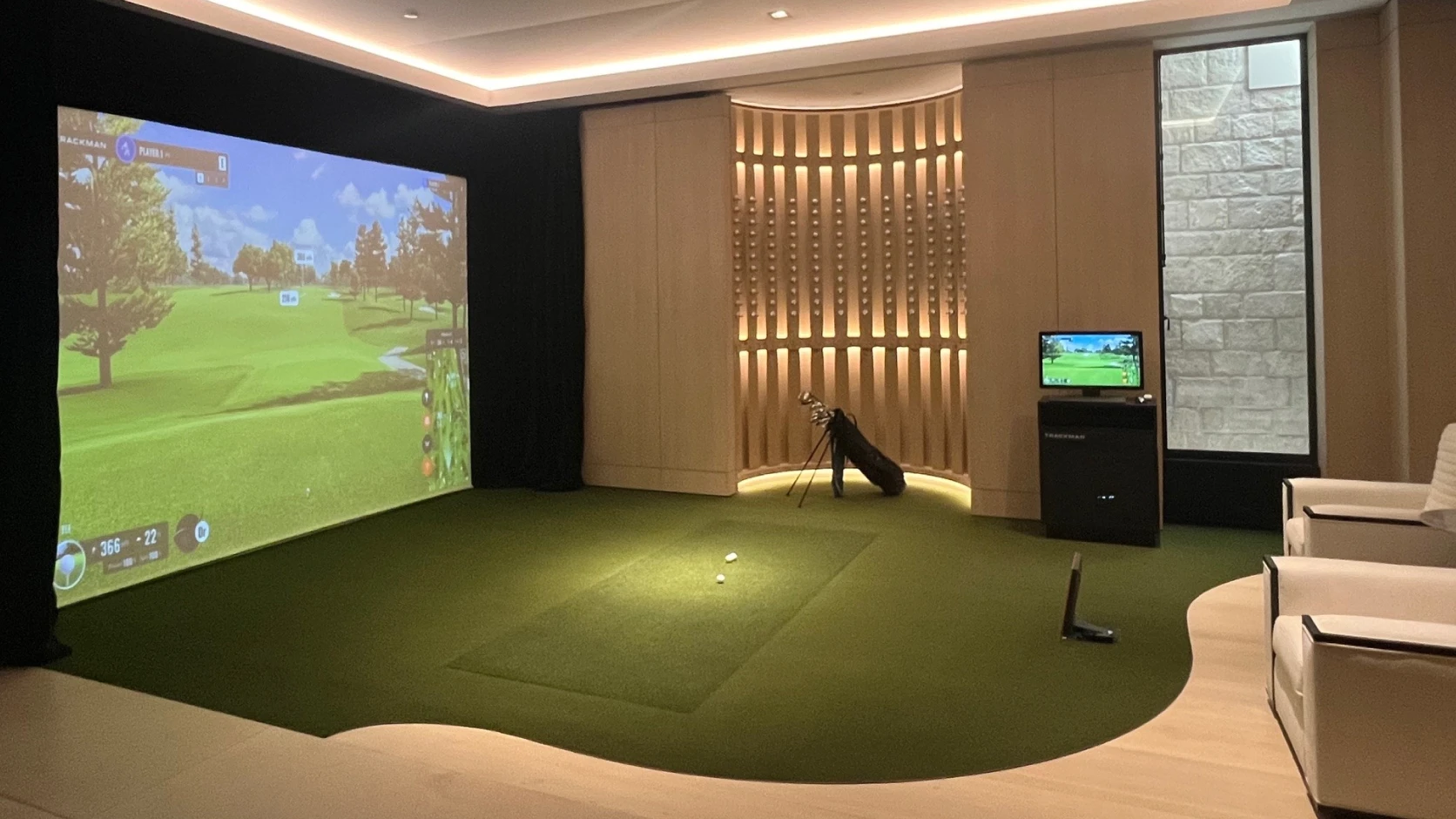
A permanent, fully integrated simulator solution designed around your space and goals.
Whether in a home, business, or dedicated simulator room, Trackman works through the entire process — from planning and room design to installation — with a detail-oriented approach focused on creating a premium simulator experience.
Custom Integrated Build — from USD 47,990+ installed
Standalone Flex Cage
A stable and portable enclosure solution ideal for both long- and short-term simulator setups.
The FlexCage offers a more flexible setup while still delivering a highly immersive experience. The elastic fabric sides can even be customized with logos or graphics for commercial spaces or branded environments.
Standalone FlexCage — from USD 43,995+ installed
DIY
For golfers looking for a more flexible or budget-conscious setup, the DIY route can range from a simple hitting mat and net to upgrading an existing simulator room with premium technology.
Trackman offers solutions that can scale with your ambitions and available space.
DIY Setup — from approximately USD 18,000–35,000+ depending on configuration
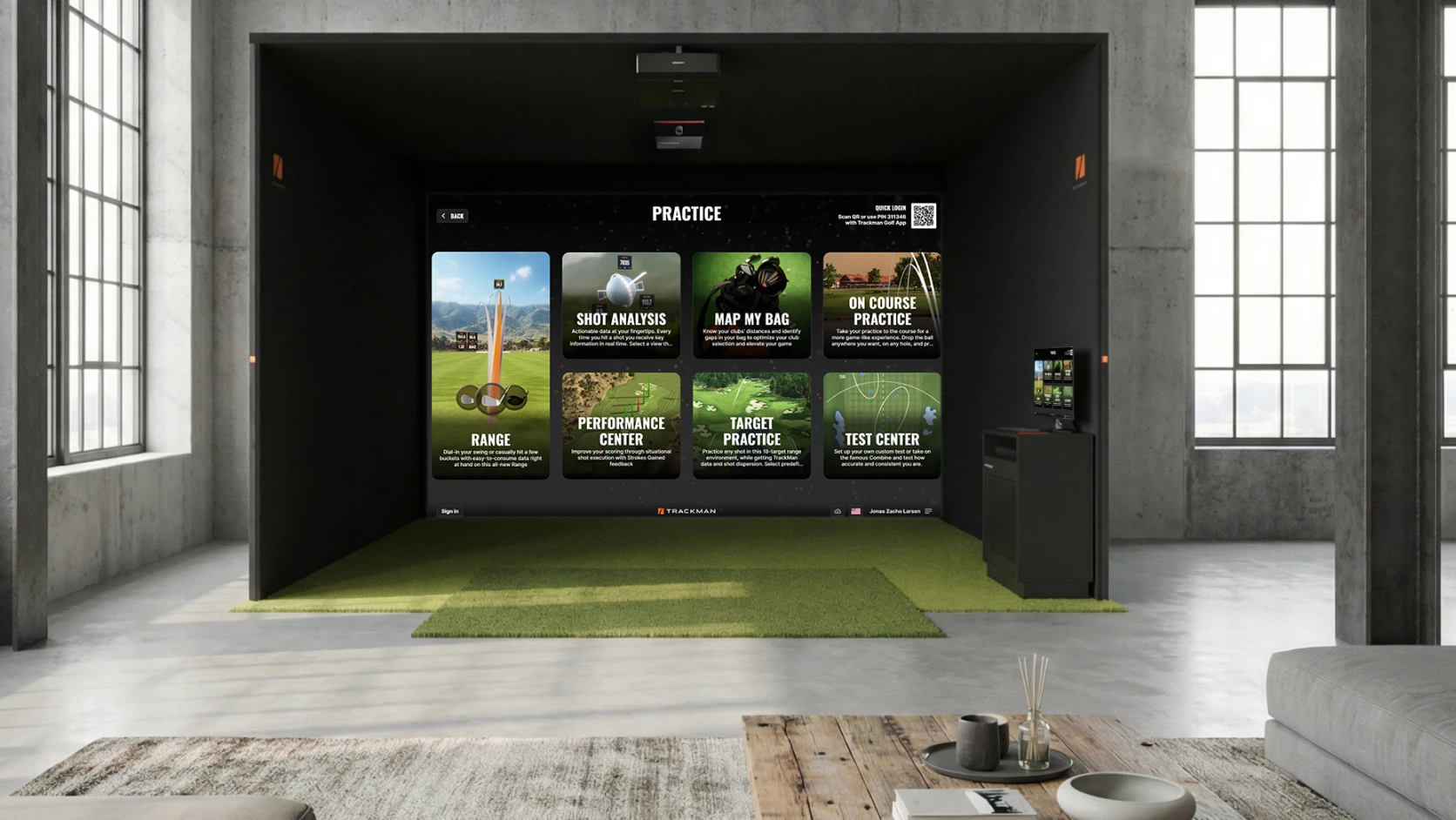
Tech Setup
Already have the room figured out?
The Tech Setup option focuses purely on the simulator technology itself, including:
launch monitor
computer
projector
This is a popular route for commercial spaces, existing simulator rooms, and customers working with their own installers or contractors.
Tech Setup — from approximately USD 20,000+ depending on technology configuration
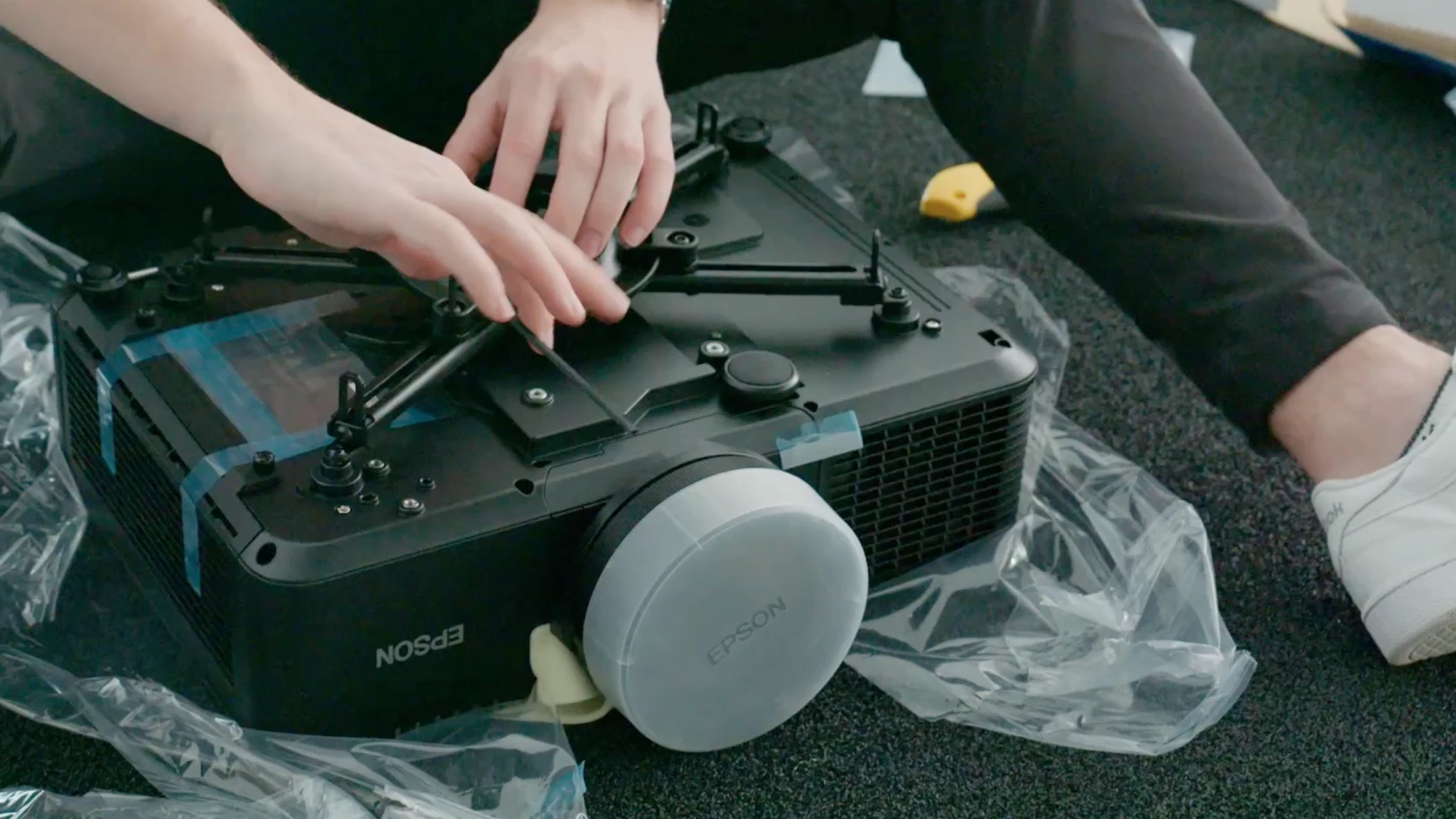
Choosing Trackman is not just about buying a launch monitor — it’s about investing in a complete simulator ecosystem. From room design and materials to installation, training, and long-term support, Trackman helps guide the entire process from start to finish … and beyond!
“Trackman is an all-encompassing ecosystem. From simulator design and installation to training and ongoing support, we're with customers every step of the way. Your installer is an in-house Trackman employee who builds sims week in and week out, and is familiar with the technology, software, and can answer any questions.”
– K.C. Kessler, Head of Sim Project Delivery
If you want to learn more about why premium golf simulator technology costs what it does, check out:
Common mistakes to avoid
After overseeing thousands of simulator installations, the Trackman Simulator Team has seen the same mistakes appear again and again. Most aren't related to the launch monitor itself — they're planning decisions that affect the long-term simulator experience.
Underestimating space requirements
One of the most common mistakes is building a room that technically fits a simulator but doesn't feel comfortable to play in. Swing clearance, seating, left- and right-handed play, and future entertainment needs all require more space than many golfers initially expect.
Overlooking lighting requirements
Lighting affects more than the look and feel of the room. It directly impacts simulator performance.
Trackman 4 relies on optical cameras and requires sufficient lighting at impact, while Trackman iO's infrared cameras can actually be negatively affected by excessive natural light. Planning lighting correctly from the beginning helps ensure accurate data and a premium visual experience.
Choosing the wrong projector
Many golfers focus on resolution and brightness but overlook projector placement and throw ratio.
A projector that cannot fill the screen from a short distance can create shadows, reduce immersion, and limit installation flexibility. The right projector should deliver a bright image while minimizing interference with the golfer's swing and sightlines.
Using low-quality components
Not all simulator materials are created equal. Turf, impact screens, cables, and hitting mats all play a major role in durability and performance.
Lower-quality turf wears faster. Inferior cables can introduce connectivity issues. Cheap impact screens may reduce image quality or require replacement sooner than expected. Investing in quality materials upfront often saves money and frustration over time.
Ignoring computer requirements
A simulator is only as good as the computer powering it.
Trackman software requires specific processing power, graphics performance, and storage capabilities to deliver accurate data and immersive graphics. Underpowered computers often lead to performance issues, reduced visual quality, and future upgrade challenges.
Forgetting about ventilation and infrastructure
Power outlets, cable routes, ventilation, and equipment access are often overlooked during planning.
Gaming-class simulator computers and projectors generate heat and require adequate airflow. Similarly, cable runs must be carefully planned, as signal quality can degrade over long distances and certain Trackman components require shielded cabling.
Failing to plan for the future
Many golfers design a simulator around today's needs without considering future upgrades.
Additional displays, upgraded graphics, new software features, entertainment uses, or future hardware integrations may require more space, power, and infrastructure than initially anticipated. Building with flexibility in mind can help extend the life and value of the simulator for years to come.
“Make sure you have the space and vision of exactly what you're looking for BEFORE you get started. And don't be afraid to be creative — you can build a great simulator space in a garage, shed, office, or wherever. But if you're going to do it, do it right.”
– Jason Mattingly, Head of Sim Design
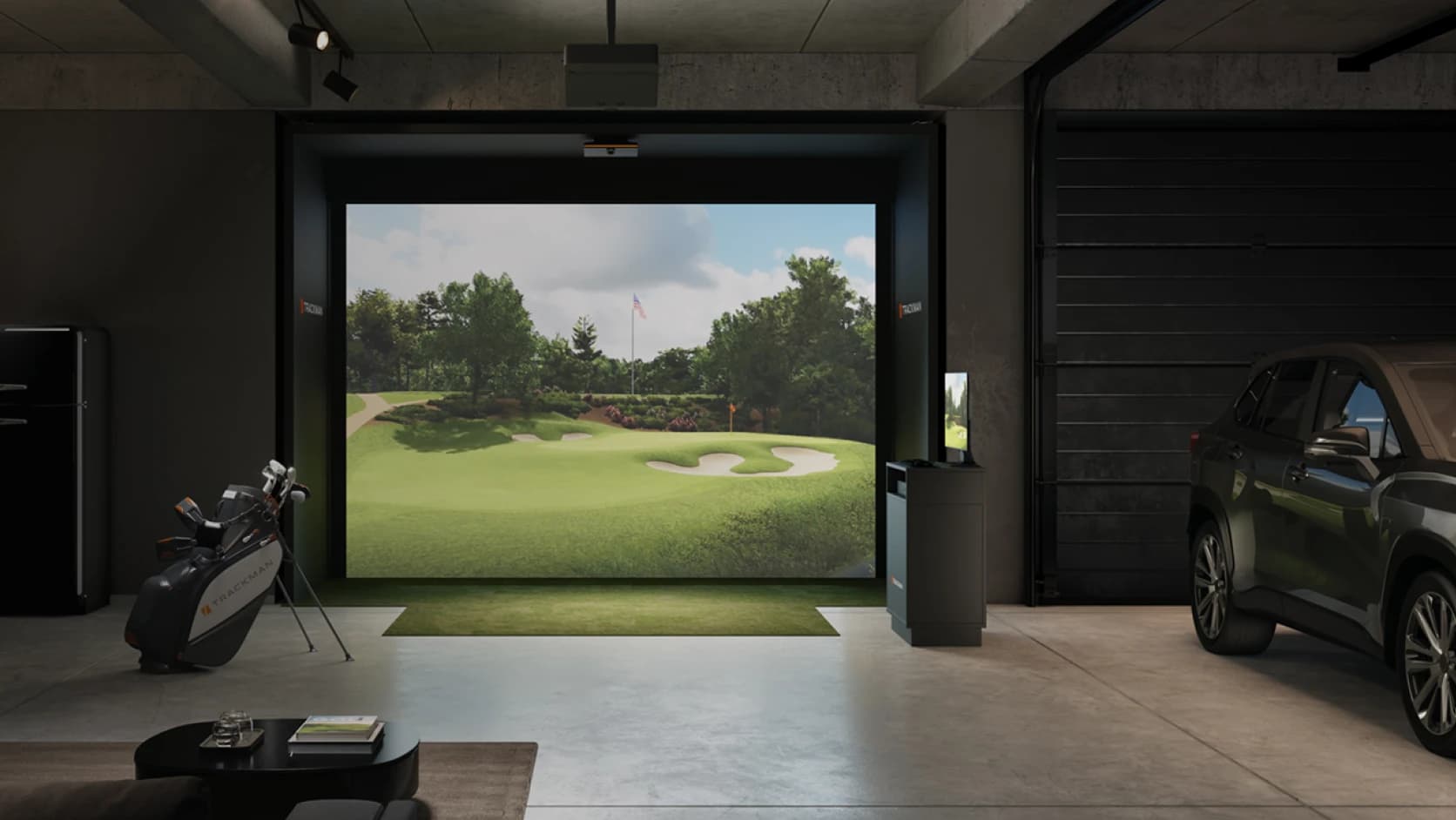
Get inspired: Real-life golf simulator setups
Every golf simulator setup is different. The best way to understand what's possible is to look at real golfers who have already built their dream setup.
Here are four Trackman simulator owners who turned unused spaces into year-round golf environments — and saw benefits that went far beyond hitting more balls.
These setups vary wildly — a backyard annex in Denmark, a converted horse barn in Massachusetts, a garage simulator in the UK, and a family-focused golf room in Tennessee — yet they all point to the same conclusion: the best golf simulator setups aren't just about technology. They're about creating a space you'll want to use for years to come, whether that's for serious practice, family competition, entertaining friends, or all of the above.
Turning an old barn into a golf sanctuary
Simon Whitten wanted to reconnect with a game he'd largely left behind while building his career, so he transformed an old horse barn into a dedicated simulator space designed around a Trackman iO setup. The result was a year-round practice environment that helped him regain consistency, improve his golf, and create a social space for family and friends.
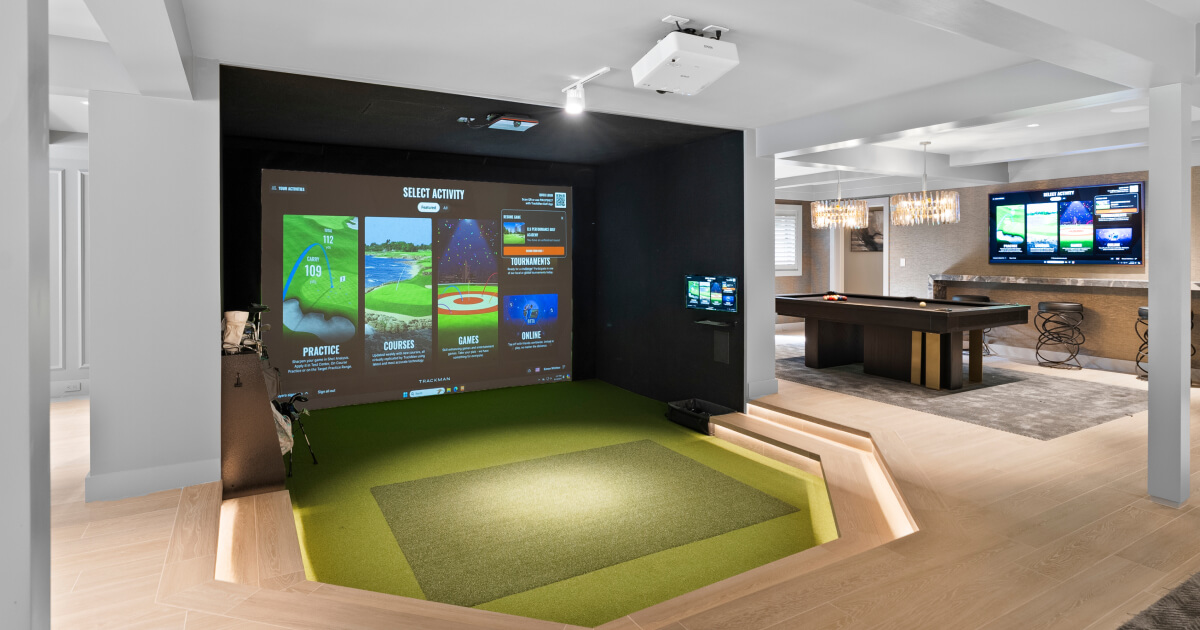
“In the end, I really liked the way that IO was installed on the ceiling as it seemed a much cleaner install and it wasn't at risk of being kicked over.”

Simon Whitten
Private Trackman simulator owner, USA
A garage simulator that dropped his handicap
After installing a Trackman iO in his garage, Chris Djuric found himself practicing more consistently, improving faster, and enjoying golf with the whole family. His children quickly became fans of Trackman's games and challenges, turning the simulator into a shared family activity rather than a single-user golf space.
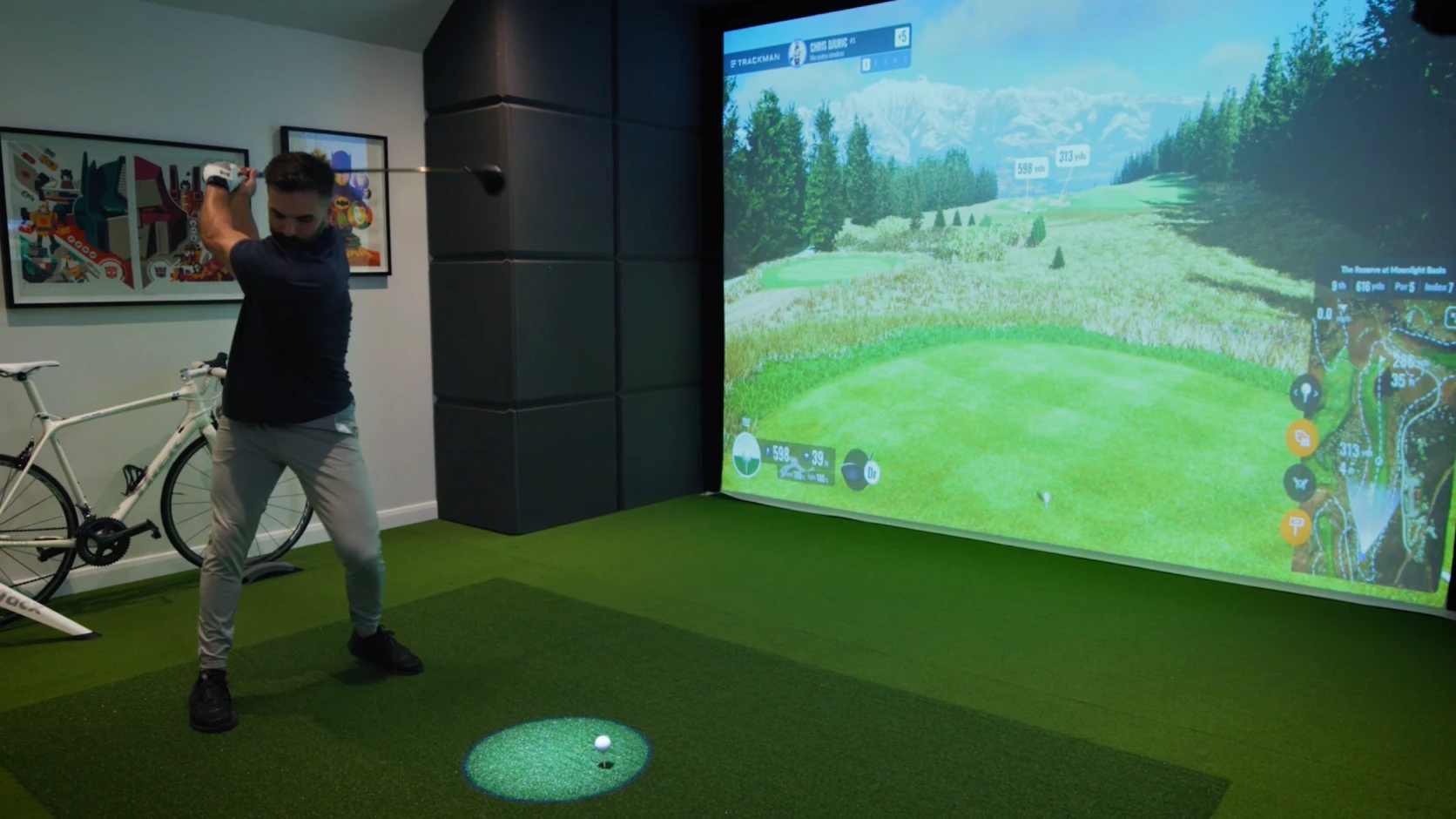
“It's completely changed my golf game and it's brought my handicap tumbling down. I've had the indoor golf simulator for six months and my handicap has come down by seven.”

Chris Djuric
Private Trackman simulator owner, UK
Building a space for golf, family and friends
For Chad Adcock, his greenhouse turned simulator space helped him improve parts of his game he rarely practiced before — particularly his short game. It quickly became a gathering place for family and friends, with his children using it regularly and visitors dropping by for scrambles, tournaments, and casual sessions.
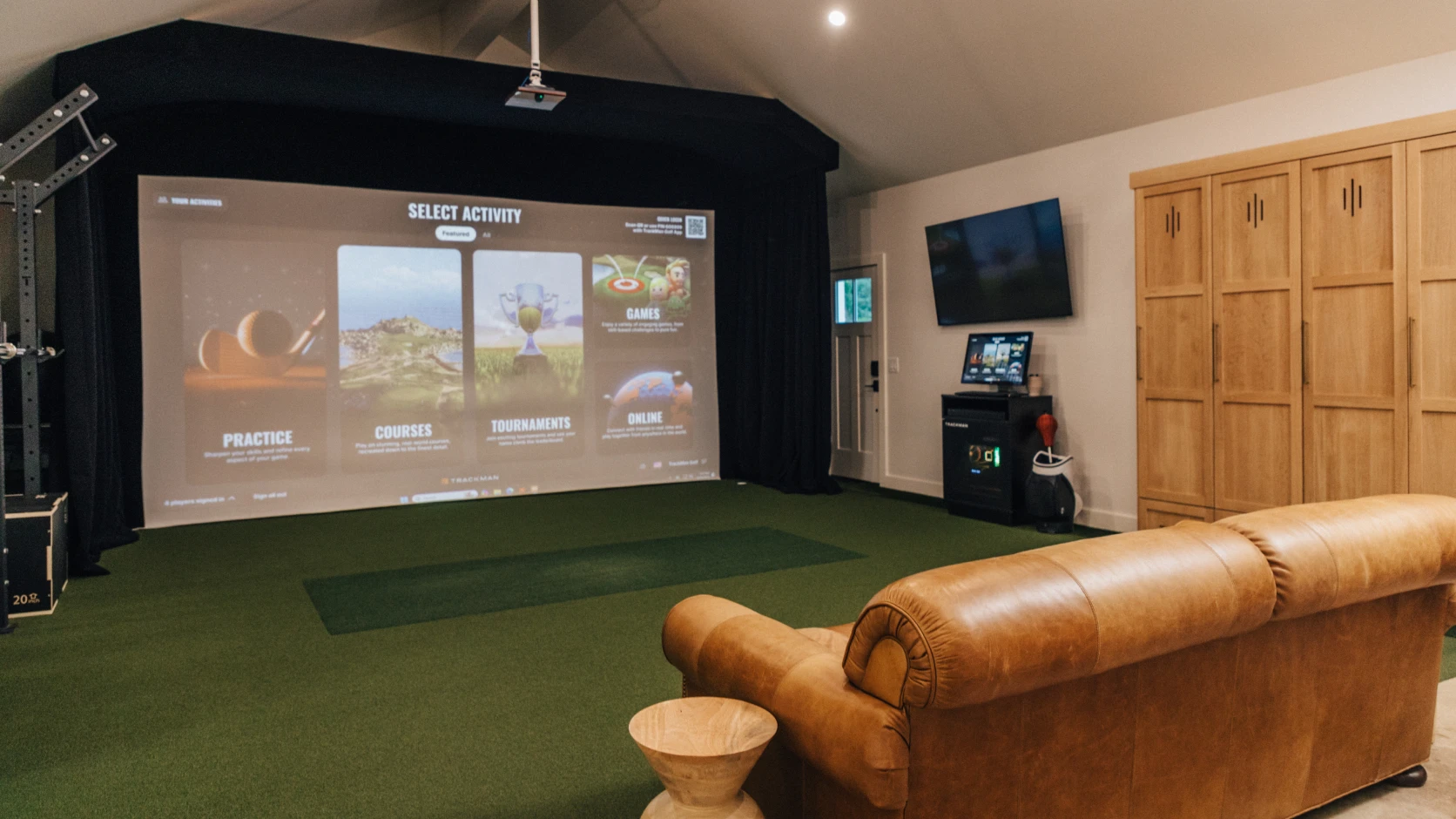
“Having a golf simulator and my own space has been phenomenal. I'm probably playing more now than I ever have in my life. Your friends, your family — the community it brings has just been so valuable for us.”

Chad Adcock
Private Trackman simulator owner, USA
The backyard build that changed everything
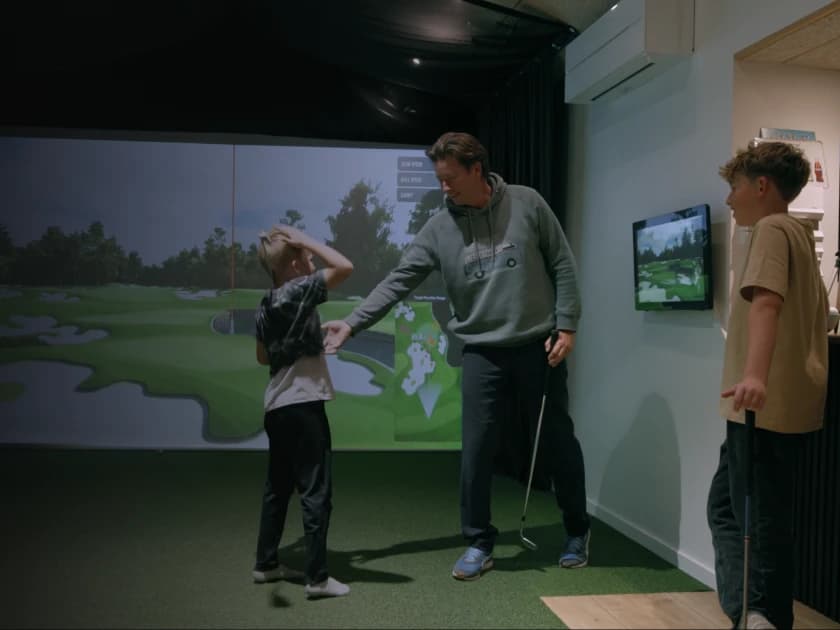
When Danish golfer Jonas Meyer wanted a way for his family to keep playing through long winters, he built a golf annex in his backyard from scratch. What started as a family project became a space for practice, competition, and quality time together. It even helped create unexpected performance gains for the whole family.
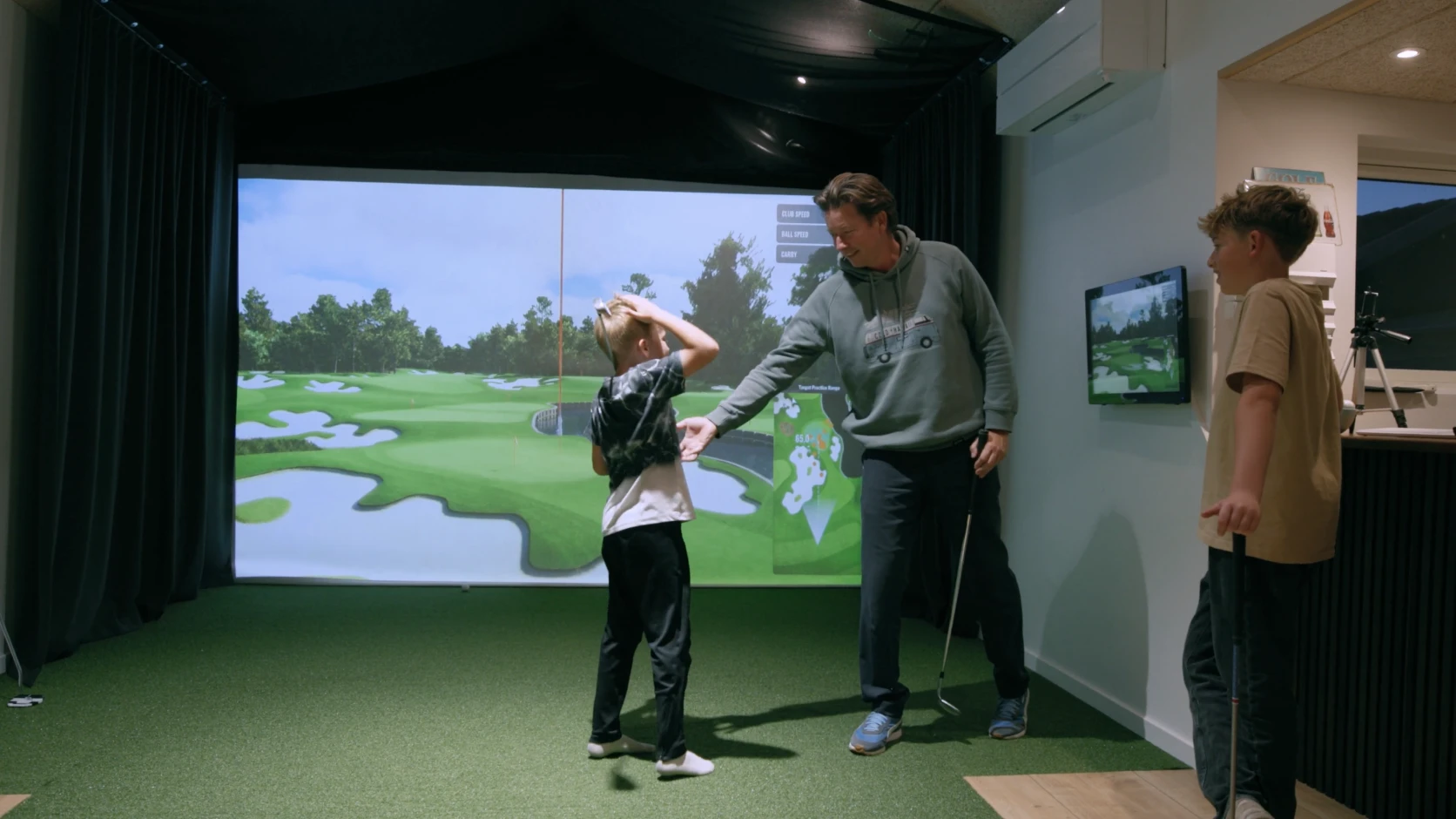
“We use the Trackman simulator for a little bit of everything — we use it year-round, not just during winter. Trackman keeps developing more games, features, and new courses, so we keep using it more and more.”

Jonas Meyer
Private Trackman Simulator Owner, Denmark
Frequently Asked Questions
How much space do I need for a golf simulator?
For most golfers, a room with at least 10 ft (3.0 m) of ceiling height, 15 ft (4.6 m) of width, and 18 ft (5.5 m) of depth provides a comfortable simulator experience. However, the ideal dimensions depend on the launch monitor, whether the space needs to accommodate both left- and right-handed players, and how you plan to use the room.
What is the minimum ceiling height for a golf simulator?
Trackman recommends a minimum ceiling height of 10 ft (3.0 m). While some golfers can swing comfortably in lower spaces, higher ceilings provide greater freedom and help future-proof the room for different players and swing types.
Is Trackman iO or Trackman 4 better for indoor golf?
Both deliver industry-leading accuracy, but they are designed for different needs. Trackman iO is ceiling-mounted and optimized for permanent indoor installations, while Trackman 4 is portable and is ideal for coaches and golfers who want both indoor and outdoor use.
Can I build a golf simulator in a garage?
Yes. Many successful Trackman installations are built in garages. The key considerations are ceiling height, room width, lighting, ventilation, and ensuring there is enough space to swing comfortably.
What is the most important part of a golf simulator setup?
The launch monitor is the foundation of the simulator, but room dimensions, lighting, projector quality, hitting mats, impact screens, and computer performance all play a critical role in creating a premium simulator experience.
Do I need a powerful computer for a golf simulator?
Yes. Modern simulator software requires a dedicated gaming-class PC to deliver smooth performance, realistic graphics, and advanced data visualization. An underpowered computer can lead to lag, poor image quality, and compatibility issues.
What golf balls should I use in a simulator?
For the best performance and longest screen life, use clean, premium golf balls. Many Trackman simulator owners prefer Titleist Pro V1 RCT golf balls, which are specifically designed to optimize indoor tracking performance.
Can a golf simulator improve your game?
Yes. Consistent practice combined with accurate ball and club data can help golfers identify weaknesses, track progress, and improve more efficiently. Many Trackman owners report significant handicap reductions after installing a simulator and practicing regularly.
Is a golf simulator worth it?
If you play regularly, practice frequently, or want year-round access to golf, a premium simulator can be a valuable investment. Beyond game improvement, many owners use their simulator spaces for entertainment, family activities, coaching, and social events.
Can I use the simulator for activities other than golf?
Absolutely. Many owners use their simulator space for much more than golf. With a projector, impact screen, and surround sound system already in place, the room can double as a home cinema for movie nights, live sports, streaming, and an entertainment hub for family and friends.
Ready to build your ideal golf simulator?
By now, you've probably realized that building the best possible golf simulator is about far more than choosing a launch monitor. The best setups are thoughtfully designed around the golfer, the space, and the experience you want to create.
Whether your goal is lower scores, year-round practice, family entertainment, or all of the above, investing time in the planning process will pay off every time you step into the room.
When you're ready to start building, use the Trackman Sim Builder to explore different configurations and find the setup that's right for your space, budget, and goals.
Learn more about the Sim Builder here
Useful resources
Build Your Simulator → Thinking about a home golf simulator? Start with Sim Builder
Check Room Requirements → How much room do you need for a golf simulator
Garage golf → Garage Golf Simulator: The ultimate setup with Trackman
Used by the best →PGA Tour & Trackman: Revolutionizing golf analytics
Understand Pricing → The Trackman price explained: What's behind the cost?
See Technical Requirements → Trackman Golf Simulator: Technical Specifications
OERT → Why Trackman is most accurate: Two Radars, One Camera: The future of golf Tracking
What is a golf launch monitor → What is a golf launch monitor? | Trackman explained
Trackman iO indoor optimized → Best home golf simulator: Trackman iO for ultimate indoor play